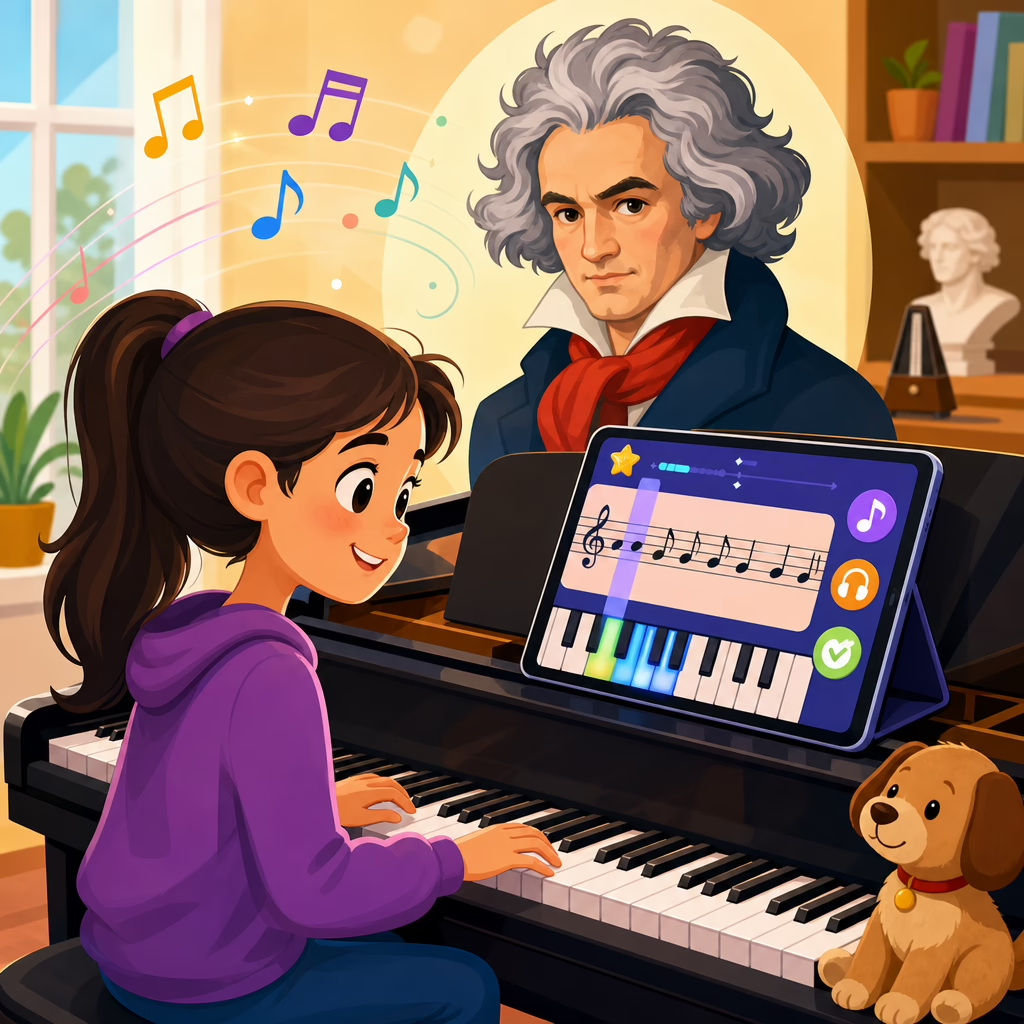
Apps That Teach Beethoven’s Music to Beginners
Apps that teach Beethoven’s music to beginners make classical training more accessible by turning scores, listening, rhythm practice, and guided repetition into structured daily lessons. In this “Technology and Beethoven” subtopic, “Miscellaneous” covers the practical tools that do not fit neatly into biography, music theory, or instrument hardware, yet matter greatly for new learners who want to understand Beethoven through apps. A beginner, in this context, is not only someone new to piano or violin; it also includes adults returning to music after years away, parents helping children start lessons, and casual listeners who cannot yet read notation but want to recognize motifs, forms, and emotional contrasts. Beethoven’s music deserves this attention because it sits at the center of Western classical repertoire, appears constantly in teaching studios and exams, and presents a rare blend of memorable melody, strong rhythm, and gradually scalable difficulty. I have tested learning apps with novice students and with adults practicing after work, and the pattern is consistent: when the app combines short feedback loops with guided listening, beginners stay engaged longer and remember musical ideas more accurately.
Choosing the right Beethoven learning app matters because beginners face two common barriers: cognitive overload and technical frustration. If the app throws dense notation, historical commentary, fingering, and tempo demands at the user all at once, the learner quits. If it simplifies Beethoven into a game with no score awareness, the learner may memorize taps but not music. The best apps balance context and action. They teach what a sonatina, bagatelle, motif, phrase, or variation means, then give the learner one manageable task: clap the rhythm, identify the interval, follow a highlighted measure, or slow-practice the opening bars. This hub article explains which app categories help most, what features separate useful tools from gimmicks, how beginners can combine listening and playing apps into a realistic routine, and where each type of app fits within broader Beethoven study. It also points readers toward adjacent subtopics in this hub, such as score-following tools, ear-training platforms, practice trackers, and music-history resources, so this page can function as a reliable starting point for the whole miscellaneous branch.
What beginners should look for in a Beethoven learning app
A strong app for Beethoven beginners should answer a simple question immediately: what can I learn today in ten to fifteen minutes? In practice, the most effective apps offer a narrow first task, visible progress, and a direct connection to an actual Beethoven piece. Good onboarding usually starts with level selection, instrument choice, and a skills baseline. Apps such as flowkey and Simply Piano do this well for keyboard beginners by asking the user to identify note names, play a few pitches, and select preferred repertoire. For Beethoven, that matters because even familiar works like “Für Elise” can overwhelm a beginner if the app starts with the full piece instead of the opening motif. Better apps break the material into phrase-length loops, usually one to four measures, with tempo control and hand separation.
Beginners should also look for synchronized notation and audio. When I work with new students, one of the fastest gains comes from linking what they see, hear, and physically do. Apps that highlight notes in real time while a recording plays teach pulse, contour, and phrase structure more efficiently than static PDFs alone. This feature is common in Tomplay, MuseScore with playback, and SmartMusic-style environments. Equally important is feedback accuracy. MIDI-enabled keyboards, digital pianos with USB, and some microphone-based systems can detect whether the learner played correct pitches and rhythms. Microphone feedback is convenient, but it can misread sustain pedal blur, ambient noise, or uneven articulation. MIDI feedback is usually more reliable for Beethoven repertoire, especially in passages with repeated notes or Alberti-style accompaniment patterns.
Content depth matters too. A useful beginner app should not only teach notes; it should explain why a passage sounds the way it does. Beethoven’s style depends on motivic development, dynamic contrast, accent placement, and formal tension. An app that includes brief annotations such as “notice the repeated rhythmic cell” or “listen for the move from tonic to dominant” gives the learner a musical framework instead of isolated finger motions. This is where many generic note-learning apps fall short. They may improve key recognition, but they do not help the student understand Beethoven as a composer. The right choice therefore depends on whether the learner’s main goal is playing, listening, ear training, score reading, or historical understanding.
Best categories of apps for learning Beethoven’s music
There is no single best app for every beginner. Beethoven learning usually works best when one core app is paired with one support app. In my experience, the strongest combinations come from five categories: piano lesson apps, score-following apps, ear-training apps, rhythm trainers, and listening or history apps. Piano lesson apps are the most obvious starting point because Beethoven is strongly associated with keyboard repertoire, even for learners who later branch into strings, voice, or general music appreciation. Apps like flowkey, Simply Piano, and Skoove guide users through note reading, fingering, tempo reduction, and hands-separate practice using recognizable repertoire. For a novice, that creates momentum quickly.
Score-following apps matter because beginners often know a tune before they understand the notation behind it. Tomplay, for example, lets users follow a moving score with synchronized playback and adjustable tempo. MuseScore provides access to community scores, though quality varies and users should verify editorial accuracy. Newzik and forScore are stronger for organized score libraries than teaching absolute beginners, but they become useful once a learner starts collecting editions and annotations. Ear-training apps such as Tenuto, Complete Ear Trainer, and Functional Ear Trainer help with interval recognition, scale awareness, chord quality, and melodic memory. These are not Beethoven-only tools, yet they directly support Beethoven study because beginners who can hear contour and harmonic pull learn repertoire faster and with fewer wrong repetitions.
Rhythm apps deserve special attention. Many beginners think Beethoven is mainly about melody, but rhythm is often the real entry point. The famous four-note opening of Symphony No. 5 is remembered because of rhythmic identity as much as pitch. Apps like Rhythm Trainer, Metronome by Soundbrenner, and Tempo make beginners internalize subdivision, accent grouping, and tempo consistency. Listening and history apps round out the picture. Apple Music Classical, Idagio, and medici.tv help users compare performances, hear period instruments, and learn how one piece can sound different under different conductors or pianists. For a beginner, that comparison builds taste and listening vocabulary. A learner who can say “this version is slower, more legato, and less accented” is already moving beyond passive consumption.
| App category | What it teaches | Best use for Beethoven beginners | Main limitation |
|---|---|---|---|
| Piano lesson apps | Notes, fingering, guided practice | Learning simplified or early-level Beethoven pieces | Can overemphasize correct taps over musical phrasing |
| Score-following apps | Notation, structure, real-time tracking | Connecting sound to score in sonatinas, bagatelles, and themes | Requires some reading confidence |
| Ear-training apps | Intervals, chords, melodic memory | Recognizing motifs and phrase shapes | Indirect rather than repertoire-specific |
| Rhythm apps | Pulse, subdivision, accent control | Mastering Beethoven’s rhythmic drive | Often lacks historical or stylistic context |
| Listening/history apps | Context, interpretation, comparison listening | Understanding style and performance choices | Does not replace active practice |
Beginner-friendly Beethoven pieces apps can teach effectively
Not every Beethoven work suits a true beginner, and apps vary in how responsibly they sequence repertoire. The most teachable entry points are pieces with clear phrasing, manageable range, and recognizable patterns. “Ode to Joy” from Symphony No. 9 is the classic example. It uses mostly stepwise motion, simple rhythm, and a phrase structure that beginners can hear immediately. Good apps present it first as a melody, then with accompaniment, then in a fuller arrangement. This layered approach works because it allows success before complexity. “Für Elise” is also common, but many apps misuse it by presenting only the iconic opening as if the whole piece were equally easy. In reality, the middle sections introduce coordination and reading demands that can frustrate early learners. A responsible app labels it as late-beginner or early-intermediate, not absolute beginner.
Bagatelles, simplified themes, and selected minuets or dances often work better than famous sonata movements. Beginners may be excited by the “Moonlight Sonata,” but even the first movement requires control of voicing, pedal timing, triplet balance, and harmonic listening that apps cannot fully teach without outside guidance. The same applies to “Pathétique” or “Tempest.” For this reason, the best Beethoven apps do not just chase popular titles; they curate progression. They may start with “Ode to Joy,” move to simple bagatelle excerpts, then introduce easier sonatina-style material and only later offer portions of larger sonatas. When I have seen students progress fastest, the app respected that ladder and resisted the temptation to market every famous work as beginner-friendly.
Arrangement quality also matters. Simplified versions should preserve the rhythmic character and phrase direction of the original, not flatten Beethoven into generic keyboard exercises. A good reduction keeps the core motif, cadence points, and basic harmonic motion intact. Poor reductions remove syncopation, alter phrase lengths, or rewrite left-hand patterns so heavily that the learner no longer meets Beethoven’s voice. Apps that identify arranger names, original key, and difficulty rationale are generally more trustworthy than apps that simply stamp “easy version” on a title. For beginners exploring this miscellaneous hub area, that distinction is central: technology should clarify Beethoven, not dilute him beyond recognition.
How to build an effective app-based Beethoven practice routine
The best app is only useful if it fits a routine a beginner can sustain. A practical weekly structure is simple: two technique-focused sessions, two repertoire sessions, one listening session, and one review session. Each can be ten to twenty minutes. In the technique sessions, a learner might use an ear-training or rhythm app to drill interval recognition, clapping, counting subdivisions, and note identification. In the repertoire sessions, the learner uses a lesson or score-following app to work on one Beethoven excerpt slowly, with hand separation, looping, and metronome support. The listening session should compare at least two recordings of the same piece, ideally one modern piano interpretation and one historically informed or contrasting style. The review session ties the week together by replaying what improved and identifying one issue to fix next week.
Specificity is the key to progress. Instead of “practice Beethoven,” the routine should define one measurable task: play measures one through four of “Ode to Joy” at 60 beats per minute with correct rhythm three times in a row, or identify the opening motif of Symphony No. 5 by ear in three recordings. Most apps include streaks, badges, or percentage scores, but beginners should not confuse app completion with musicianship. I tell students to track four real indicators: tempo stability, note accuracy, rhythmic accuracy, and memory. If an app says 95 percent correct but the rhythm drags and the phrase has no shape, the learner still needs work. Technology can measure some variables very well, but it cannot fully judge tonal control, articulation style, or expressive timing.
Parents and self-taught adults should also schedule periodic reality checks outside the app. Recording a short practice clip on a phone, playing for a teacher once a month, or comparing the score to a reputable edition helps catch errors that software misses. This is especially important in Beethoven, where accents, slurs, and dynamic markings are not decorative extras; they are structural instructions. A beginner who learns to treat those markings seriously from the start will make faster long-term progress than one who only chases green check marks.
Common mistakes beginners make with Beethoven apps
The most common mistake is choosing repertoire for prestige instead of readiness. Beginners often open an app, search “Beethoven,” and jump straight to “Moonlight Sonata” or “Für Elise.” The result is fragmented learning: the opening sounds familiar, but technique collapses a few measures later. A better approach is to choose a piece one level below what feels impressive and master it completely. Another mistake is relying on visual cues without developing reading. Some apps animate falling notes or keyboard lights in ways that help short-term imitation but delay real score literacy. These tools can be helpful at first, yet they should transition quickly toward notation-based learning if the goal is genuine Beethoven study.
A third mistake is using playback as a crutch. Hearing the app perform the piece at full tempo can inspire the learner, but it can also produce passive copying. Beginners need slow practice, silent score study, counting aloud, and deliberate repetition. They also underestimate the value of listening away from the instrument. Beethoven becomes easier to learn when the student already knows how the phrase should breathe and where the cadence lands. Finally, many users ignore edition quality. Community-uploaded scores may contain wrong articulations, awkward fingerings, or simplified harmonies passed off as originals. Reputable publishers and carefully reviewed in-app libraries are worth prioritizing, even if the interface is less flashy.
How this miscellaneous hub connects the wider Technology and Beethoven topic
This miscellaneous hub exists because app-based Beethoven learning overlaps many neighboring topics. A reader starting here may later need deeper guidance on digital score readers, MIDI keyboards for classical study, online lesson platforms, practice analytics, or historical listening archives. Apps are often the front door into all those areas. Once a beginner succeeds with one Beethoven piece inside an app, the next questions come quickly: Which digital piano gives the best key action for app feedback? How do I read urtext markings on a tablet? What metronome settings help with dotted rhythms? Which recordings best demonstrate different approaches to tempo and articulation? This page is designed to connect those questions, not isolate them.
The main benefit of Beethoven teaching apps is not convenience alone. It is structured access. Good apps shorten the distance between curiosity and informed practice by giving beginners a score, a model performance, a tempo tool, and immediate feedback in one place. Used well, they make Beethoven less intimidating without stripping away musical substance. The most reliable path is to combine one solid lesson app with one ear or rhythm app, start with genuinely beginner-friendly repertoire, and review progress through listening and occasional outside feedback. If you want to explore Beethoven through technology, start with a single piece, one realistic weekly routine, and an app that teaches both the notes and the music behind them.
Frequently Asked Questions
What makes an app useful for beginners who want to learn Beethoven’s music?
A useful app for beginners does more than simply display Beethoven scores on a screen. The best apps break complex music into manageable steps, helping new learners understand melody, rhythm, phrasing, listening, and repetition in a structured way. Beethoven’s music can feel intimidating because even well-known beginner-friendly pieces often contain expressive dynamics, subtle timing, and recurring patterns that reward careful practice. A strong learning app reduces that intimidation by turning large musical ideas into short daily lessons, guided exercises, and clear feedback.
For true beginners, the most valuable features usually include slowed playback, hand-separate practice, looping of difficult passages, visual rhythm guidance, and progress tracking. These tools matter because many learners are not just new to Beethoven, but new to reading notation, counting beats, or recognizing musical form. An app that teaches Beethoven effectively should support both listening and doing. In other words, it should let users hear how a phrase sounds, then try it themselves, then repeat it with assistance until it becomes familiar.
It also helps when an app gives historical or stylistic context in a beginner-friendly way. Beethoven’s music becomes easier to connect with when learners understand that his pieces are not only technical studies but expressive works full of contrast, drama, and lyricism. Apps that include short explanations about mood, articulation, tempo markings, and common Classical-era patterns can make practice feel more meaningful. For beginners, that combination of guidance, repetition, and context is what turns a general music app into a truly useful tool for learning Beethoven.
Can beginners really learn Beethoven through apps, or do they still need a teacher?
Beginners can absolutely make meaningful progress with Beethoven through apps, especially in the early stages of listening, rhythm training, note reading, and basic performance practice. Apps are especially effective at building consistency. They make it easier to practice every day, repeat short passages many times, and receive immediate feedback on timing or note accuracy. For many learners, that regular structure is the difference between wanting to learn Beethoven and actually developing the habits needed to do it.
That said, apps work best when they are understood as practical learning tools rather than complete replacements for a skilled teacher. Beethoven’s music often requires interpretation as much as accuracy. A teacher can explain why a phrase should breathe a certain way, how dynamics shape the emotional direction of a passage, or when a technically correct performance still sounds musically incomplete. Apps are getting better at assisting with these areas, but they are still strongest in drill-based learning, guided repetition, and accessible introductions to repertoire.
For many beginners, the most realistic answer is that apps can be enough to get started and, in some cases, enough to support steady independent progress for quite a while. A learner using a well-designed app can become familiar with famous Beethoven themes, build confidence with notation, improve rhythmic control, and even learn simplified arrangements or easier original works. If the learner later adds a teacher, the app often remains valuable as a daily practice companion. So the choice is not necessarily apps versus teacher. In many cases, apps provide the accessible foundation, and a teacher adds refinement, interpretation, and personalized correction when needed.
Which Beethoven pieces are best for beginners to start with in learning apps?
The best Beethoven pieces for beginners are usually the ones that offer clear musical structure, memorable patterns, and a manageable technical range. Many apps begin with simplified versions of famous Beethoven melodies before moving into more faithful arrangements or original easier works. This approach is smart because it introduces the sound world of Beethoven without overwhelming the learner. Well-known themes such as “Ode to Joy” are common starting points because they are instantly recognizable, rhythmically approachable, and satisfying to play even at an early level.
Beyond famous excerpts, some beginner-friendly apps also introduce simplified versions of themes from Beethoven’s sonatas, dances, and shorter piano works. The key is not whether a piece is famous, but whether the app presents it in a sequence that matches the learner’s current ability. A beginner does not need to start with the full complexity of Beethoven’s more demanding works to begin understanding his style. Even short phrases can teach important skills such as repeated-note control, basic articulation, dynamic contrast, and phrase shaping.
A good app should also help learners distinguish between “beginner-accessible Beethoven” and “advanced Beethoven presented in simplified form.” Both can be useful, but they serve different purposes. Easier original material can build technique and confidence, while simplified iconic themes can build familiarity and motivation. Ideally, the app balances both. It should guide beginners from recognizable melodies into slightly more complete musical textures over time, allowing them to hear, play, and gradually appreciate the expressive character that makes Beethoven’s music so enduring.
What features should I look for in an app that teaches Beethoven’s rhythm, listening, and score reading?
If your goal is to learn Beethoven in a well-rounded way, look for an app that trains the ear, the eye, and the sense of pulse together. Beethoven’s music is not only about hitting the right notes. It depends heavily on rhythm, contrast, motif recognition, and attentive listening. That means the ideal app should include more than a digital score. It should help you hear patterns, count accurately, and connect what you see on the staff with what you hear in performance.
For rhythm, useful features include metronome integration, tap-along exercises, subdivision practice, and visual timing feedback. Beginners often struggle with keeping a steady pulse or understanding how note values relate to each other in real time. These tools make rhythm visible and repeatable, which is particularly helpful when learning Beethoven’s characteristic contrasts and energetic motifs. For listening, look for section playback, tempo control, phrase looping, and high-quality audio examples. Beginners need to hear the same musical material in different speeds and contexts so they can recognize shape, tension, and repetition.
For score reading, the strongest apps include note highlighting during playback, symbol explanations, finger suggestions where appropriate, and progressive lessons that teach notation in stages rather than assuming prior knowledge. Some apps also combine score reading with quizzes, flashcards, or guided demonstrations, which can speed up recognition of intervals, rests, dynamics, and articulation markings. When these features work together, they create a practical system: the learner sees the music, hears the music, practices the rhythm, and then repeats it until comprehension begins to feel natural. That is exactly the kind of support beginners need when approaching Beethoven through technology.
How should a beginner use a Beethoven learning app for the best results?
The most effective way to use a Beethoven learning app is to make it part of a consistent, realistic routine rather than treating it as an occasional source of inspiration. Beginners improve fastest when they practice in short, focused sessions that combine listening, technical repetition, and simple reflection. Even ten to twenty minutes a day can produce real progress if the time is structured well. Beethoven’s music, especially for beginners, becomes much more approachable when practiced in small sections with clear goals.
A strong session often begins with listening. Hear the passage or piece once or twice in the app so your ear has a target. Then move into rhythm or note work at a slower tempo. Use looping tools to isolate a short section rather than trying to play everything from beginning to end repeatedly. After that, combine the parts and gradually increase tempo only when accuracy is dependable. If the app offers progress metrics, use them as motivation, but do not rely on them alone. Musical improvement also includes smoother phrasing, better attention to dynamics, and a growing sense of confidence.
It is also important for beginners to stay musically curious. If the app includes background notes, composer context, or listening comparisons, take advantage of them. Understanding even a little about Beethoven’s style can make practice feel more personal and less mechanical. Finally, be patient. Learning Beethoven through apps is not about rushing into difficult masterpieces. It is about building musical familiarity one pattern, phrase, and lesson at a time. When beginners use apps this way, they often discover that technology can make classical learning more accessible, more organized, and much more enjoyable.